


Your team just spent 8 hours producing one webinar for a client. Tomorrow, they need 15 pieces of content from it: social posts, blog articles, email sequences, and LinkedIn carousels. Sound familiar? SaaS agencies are drowning in manual content creation while clients demand more output across more channels. You’re caught between delivering results and burning out your team—a position that’s becoming unsustainable as content expectations skyrocket. But here’s the reality check: The right video repurposing tools can turn one recording into 15+ content pieces in under 2 hours. This isn’t about cutting corners or sacrificing quality. It’s about working smarter, not harder.
The agencies scaling successfully aren’t producing more original content—they’re multiplying what they already have. They’ve cracked the code on systematic content multiplication that keeps clients happy while preserving team sanity.
In this guide, we’ll break down 7 tool categories that transform your content workflow, real agency implementation strategies, and integration methods that prevent chaos across multiple clients. You’ll discover how to reduce manual production time by 75% while actually improving content quality and consistency.
Stop letting content creation control your agency’s growth. Let’s show you how to flip that equation.
Why Video Repurposing Is Your Agency’s Secret Weapon
The Content Multiplication Effect
When you repurpose video content strategically, you’re not just creating more assets—you’re building a content ecosystem that works harder for your clients’ money. Here’s the breakdown that changes everything:
One 45-minute client webinar becomes:
- 8-12 social media clips (15-90 seconds each)
- 1 long-form blog post (2,000+ words from transcription)
- 5-7 LinkedIn carousel posts featuring key insights
- 1 detailed email sequence (5-part series)
- 3-4 Twitter threads with actionable takeaways
- 1 podcast episode (audio extraction)
- 6-10 Instagram story highlights
- 2-3 YouTube Shorts for discoverability
That’s 26+ distinct content pieces from one recording session. This approach reduces per-piece production costs by up to 80% while maintaining message consistency across all channels—something impossible with traditional content creation methods.
Why SaaS Content Especially Benefits
SaaS products are complex beasts. Your clients’ prospects need multiple touchpoints and explanation formats before they convert. Multi-format content repurposing addresses three critical SaaS marketing challenges:
Complex Product Education: A demo video becomes bite-sized feature explanations, comparison charts, and step-by-step tutorials. Different learning preferences get addressed without additional production overhead.
Extended Sales Cycles: B2B SaaS buyers consume content across LinkedIn, email, blogs, and social platforms throughout their 6-12 month decision journey. Repurposing ensures your client’s message appears wherever prospects are researching.
Social Proof Multiplication: Client success stories and product demonstrations become testimonial quotes, case study snippets, and social media proof points that build trust across multiple channels.
The agencies winning SaaS clients aren’t those producing the most original content—they’re the ones making existing content work 10x harder.
The 7 Essential Video Repurposing Tool Categories
Finding the best video repurposing tools means understanding that different tools solve different workflow bottlenecks. Here’s your complete toolkit breakdown:
1. AI Clip Generators (Opus Clip, Vizard)
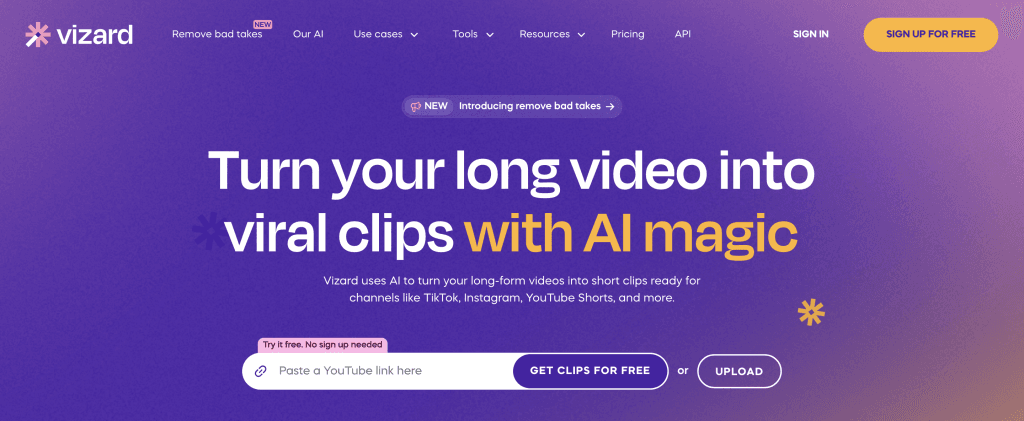
What they do: Automatically scan long-form videos to identify and extract the most engaging 15-90 second segments, complete with captions, thumbnails, and social media optimisation.
Why agencies love them: These AI video repurposing software solutions eliminate the most time-consuming part of social content creation. Instead of manually scrubbing through hours of footage, you upload once and receive dozens of ready-to-post clips.
Best for: Agencies managing high video volumes across multiple SaaS clients who need consistent social media presence without dedicated video editors.
Workflow example: Upload a 60-minute product demo, receive 12 optimised clips within 30 minutes. Each clip includes auto-generated captions, suggested hashtags, and platform-specific formatting for LinkedIn, Instagram, and Twitter.
Pro tip: Use Opus Clip’s brand templates to maintain visual consistency across all client clips without manual customisation.
2. Transcription & Content Extraction (Otter.ai, Descript)
What they do: Convert video speech into accurate, searchable text that becomes the foundation for blog posts, email content, and written materials.
Why they’re essential: Video editing automation starts with getting content out of the video format. These tools provide 95%+ accuracy transcriptions that your writers can transform into long-form content in minutes, not hours.
Best for: Agencies needing to create substantial written content from video sources—webinars, interviews, and thought leadership sessions.
Workflow example: A 45-minute client interview gets transcribed by Descript. Your writer uses the transcript to create a 2,500-word thought leadership article, pulls out 10 quotable snippets for social posts, and identifies 3 key themes for email nurture sequences.
Hidden benefit: Transcriptions improve video SEO and accessibility while providing searchable content archives for future campaigns.
3. Multi-Platform Repurposing Suites (Repurpose.io, ContentStudio)
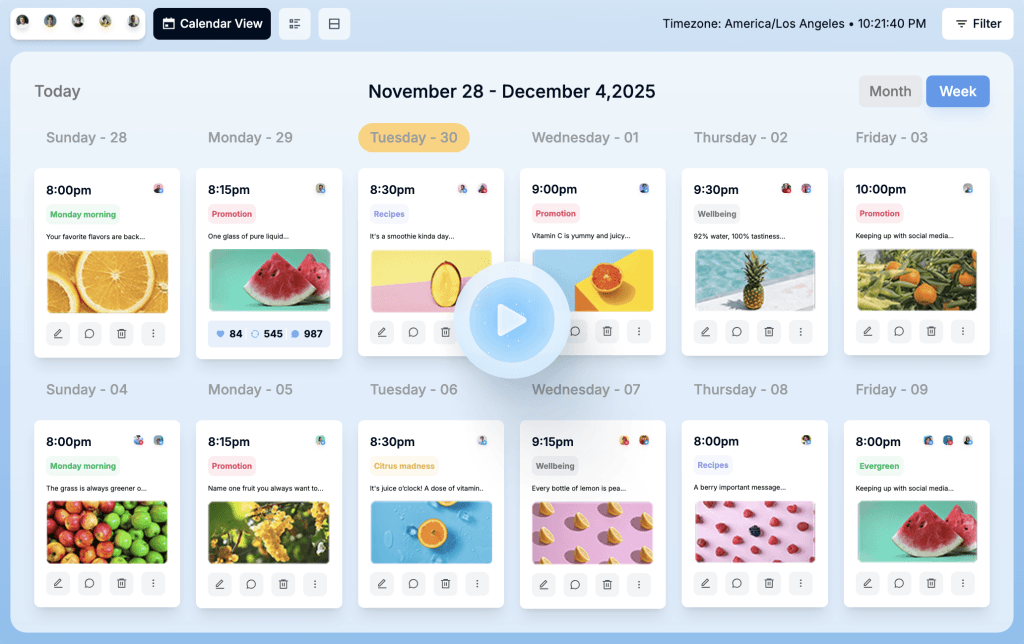
What they do: Automate the distribution and reformatting of content across multiple social platforms, handling size requirements, scheduling, and cross-posting.
Why they save agencies: These video to social media conversion tools eliminate the manual task of customising content for each platform’s specifications. Upload once, distribute everywhere.
Best for: Agencies managing social presence for multiple SaaS clients who need consistent posting without platform-by-platform customisation.
Workflow example: Upload your client’s demo video to Repurpose.io. It automatically creates Instagram square versions, LinkedIn native video posts, Twitter clips with proper dimensions, and YouTube Shorts—all scheduled for optimal posting times.
Time savings: What used to take 2 hours of manual formatting now happens automatically in under 10 minutes.
4. Social-Ready Formatting (Canva, Loom)
What they do: Provide template systems and design tools that maintain brand consistency while creating platform-specific visual content from video assets.
Why agencies need them: Content workflow optimisation requires visual consistency across all repurposed pieces. These tools ensure every social post, carousel, and video thumbnail aligns with client branding.
Best for: Agencies without dedicated designers who need professional-looking social content that reflects each client’s brand identity.
Template strategy: Create master brand templates for each client in Canva. When you extract quotes, statistics, or insights from videos, drop them into pre-designed templates for instant social-ready graphics.
5. Long-Form Content Generators (ChatGPT, Jasper)
What they do: Transform video transcripts and key points into comprehensive blog posts, white papers, and educational content series.
Why they’re crucial: Social media content creation is just one piece. SaaS clients need substantial educational content for SEO and lead nurturing. These tools turn video insights into detailed written assets.
Best for: Agencies needing to produce regular blog content and educational materials from existing video assets.
Content multiplication: A single product walkthrough video becomes a 3,000-word tutorial blog post, a downloadable PDF guide, and a 5-part email course—all while maintaining the original presenter’s voice and expertise.
6. Automated Scheduling & Publishing (Buffer, Hootsuite)
What they do: Handle the distribution timing and cross-platform publishing of all your repurposed content pieces.
Why timing matters: Creating repurposed content is only half the battle. These tools ensure consistent publishing schedules across all client accounts without manual intervention.
Best for: Agencies managing posting schedules for multiple SaaS clients across different time zones and audience preferences.
Efficiency gain: Schedule an entire month of repurposed content across 5 platforms for 10 clients in under 30 minutes.
7. Performance Analytics & Optimisation (Sprout Social, Later)
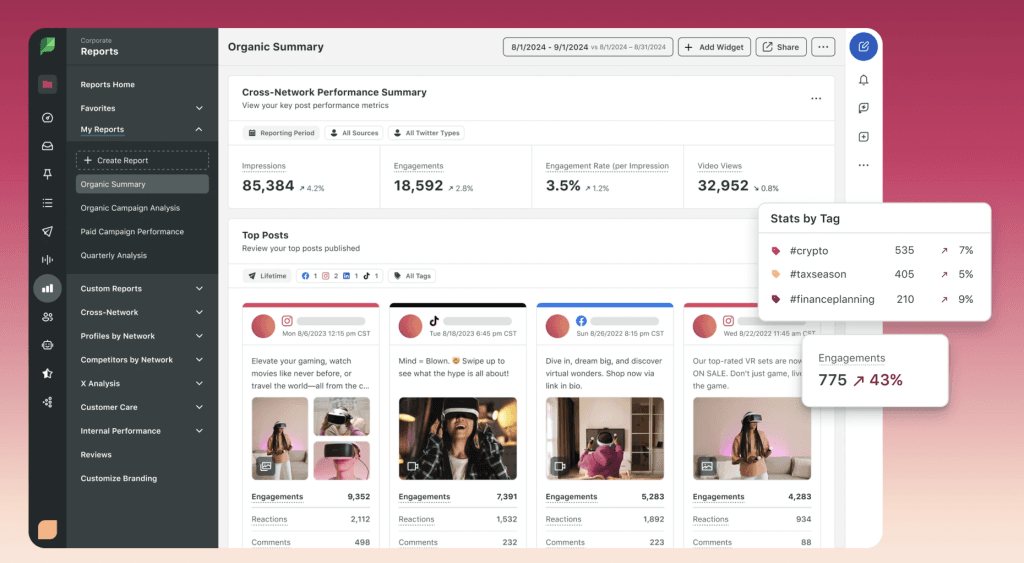
What they do: Track engagement, reach, and conversion metrics across all your repurposed content to identify top-performing formats and topics.
Why measurement matters: Video marketing tools should improve performance over time. These analytics platforms show which repurposing strategies deliver the best ROI for each client.
Best for: Agencies needing to prove content ROI and continuously optimise repurposing strategies based on actual performance data.
Strategic insight: Discover that your client’s demo clips get 3x more engagement than product announcement videos, then adjust your repurposing focus accordingly.
Building Your Agency’s Repurposing Workflow
The 3-Phase Repurposing System
Successful content multiplication requires systematic processes, not just good tools. Here’s the proven workflow that prevents chaos while maximising output:
Phase 1: Extract and Transcribe (Week 1)
- Upload all client video content to transcription tools
- Generate accurate text versions using Otter.ai or Descript
- Identify key quotes, statistics, and insights for social content
- Create content brief outlining repurposing opportunities
- Timeline: 2-3 hours per video
Phase 2: Format and Optimise (Week 1-2)
- Generate social clips using Opus Clip or Vizard
- Create written content from transcripts using AI writing tools
- Design visual assets using Canva templates
- Optimise each piece for platform-specific requirements
- Timeline: 3-4 hours per video
Phase 3: Distribute and Track (Week 2 onwards)
- Schedule content across platforms using Buffer or Hootsuite
- Monitor engagement and performance metrics
- Adjust posting schedules based on audience response
- Compile performance reports for client reviews
- Timeline: 1 hour weekly per client
Total time investment: 6-8 hours to create 20+ content pieces versus 40+ hours creating original content individually.
Client Management and Quality Control
Approval workflows become critical when you’re producing high volumes of repurposed content. Here’s your quality control system:
Content Categories:
- Auto-approve: Social clips under 60 seconds with pre-approved messaging
- Quick review: Blog posts and email content (24-hour approval window)
- Full approval: Thought leadership pieces and major announcements
Brand consistency checklist:
- Visual templates match client brand guidelines
- Tone of voice remains consistent across all formats
- Key messaging aligns with approved positioning
- No content contradicts existing marketing materials
Client communication template:
“This month’s content package includes 15 social posts, 2 blog articles, and 1 email sequence—all derived from your recent product demo. Review the attached content calendar and flag any pieces requiring modifications.”
Team Training and Tool Integration
Staff onboarding timeline:
- Week 1: Tool familiarisation (2 hours per tool)
- Week 2: Practice with non-client content
- Week 3: Shadow experienced team member
- Week 4: Handle 1-2 client accounts independently
Integration with existing workflow:
- Connect repurposing tools to your project management system
- Create template folders for each client’s assets
- Establish file naming conventions for easy content tracking
- Set up automated reports showing content performance
Team efficiency metrics:
- Content pieces created per hour
- Client approval rates for repurposed content
- Performance improvement of repurposed versus original content
- Time savings compared to traditional content creation
The agencies scaling successfully treat video repurposing as a systematic process, not a collection of random tools. Your workflow determines your results more than your software choices.
Implementation Strategy: Getting Started Without Overwhelming Your Team
The Gradual Rollout Approach
Don’t implement all seven tool categories at once. Start with this proven sequence:
Month 1: Foundation Tools
- Choose one transcription tool (Otter.ai or Descript)
- Select one AI clip generator (Opus Clip or Vizard)
- Test with 2-3 existing clients who trust your experimentation
Month 2: Distribution Layer
- Add one scheduling tool (Buffer or Hootsuite)
- Integrate with current social media management process
- Expand to 5-6 client accounts
Month 3: Advanced Features
- Implement design templates (Canva)
- Add analytics tracking (Sprout Social)
- Roll out to entire client base
This gradual approach prevents tool overwhelm while building team confidence with each new capability.
Measuring Success and ROI
Track these key performance indicators to prove the value of your repurposing investment:
Efficiency Metrics:
- Hours saved per content piece created
- Number of content pieces produced per source video
- Client approval rates for repurposed content
- Team satisfaction scores with new workflow
Quality Metrics:
- Engagement rates across repurposed content types
- Brand consistency scores from client feedback
- Content performance compared to original pieces
- Client retention rates post-implementation
Business Impact:
- Revenue per hour worked on content creation
- Client contract values after introducing repurposing
- Team capacity for taking on new accounts
- Profitability improvement on existing accounts
Common Pitfalls and How to Avoid Them
Quality Control Breakdown
The mistake: Pushing out too much repurposed content without proper review processes, leading to brand inconsistencies or off-message posts.
The solution: Establish clear approval tiers and quality checkpoints. Auto-approve only the safest content types while maintaining human oversight for strategic pieces.
Tool Overload Syndrome
The mistake: Implementing too many tools simultaneously, creating confusion and inefficiency instead of streamlining workflows.
The solution: Follow the gradual rollout approach. Master one tool category before adding the next. Your team should feel more capable, not more overwhelmed.
Client Expectation Mismatch
The mistake: Not properly setting client expectations about repurposed content, leading to disappointment when they expect completely original messaging.
The solution: Frame repurposing as strategic content amplification that ensures consistent messaging across all touchpoints. Show examples of how their best content will reach more prospects.
The Future of Agency Content Creation
Video repurposing tools represent just the beginning of AI-powered content workflows. The agencies positioning themselves as efficiency leaders today will dominate as these technologies continue advancing.
What’s coming next:
- AI tools that maintain brand voice across all repurposed content
- Automated A/B testing for repurposed content variations
- Integration between repurposing tools and CRM systems for personalised content
- Real-time optimisation based on audience engagement patterns
The question isn’t whether these capabilities will emerge—it’s whether your agency will be ready to leverage them.
The EspyGo Advantage: Repurpose Smarter, Not Harder
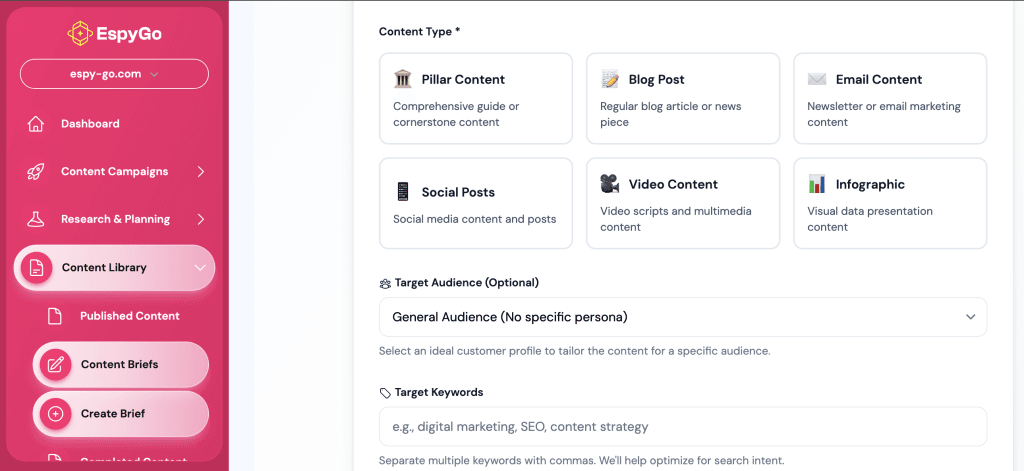
Content repurposing becomes 10× more effective when you know exactly which messages resonate across platforms — and that’s where EspyGo gives agencies an edge. Instead of guessing which webinar clips or product demo moments will perform best, EspyGo shows you which topics, angles, and insights AI search engines already associate with your client’s brand. That means you can repurpose video around proven high-visibility themes rather than starting from scratch each time.
EspyGo helps agencies create smarter repurposing strategies by revealing:
- Which topics AI models consistently surface for your clients
- Where your clients’ messaging is fragmented across platforms
- How to reinforce the themes that boost AI visibility with every repurposed asset
When your repurposed video content aligns with what AI engines already “understand” about your client, every clip, carousel, email, and blog post amplifies authority instead of diluting it — making your content work harder with far less effort.
Conclusion
Video repurposing tools can transform your agency’s content efficiency, but success depends on choosing the right combination for your workflow and integrating them systematically. The agencies winning in today’s content-saturated market aren’t those producing the most original content—they’re the ones making existing content work exponentially harder.
The best video repurposing tools solve specific workflow bottlenecks while maintaining quality and brand consistency. Start with one tool category, test with 2-3 clients, then expand your stack based on results and team feedback.
Remember: Your clients don’t need more content—they need better content distribution. Video repurposing gives you both efficiency and effectiveness without the overwhelm.
The transformation starts with a single video and a commitment to working smarter. Your team’s sanity, your clients’ results, and your agency’s growth all depend on making this shift from manual content creation to strategic content multiplication.
Stop letting manual content creation limit your agency’s growth. The tools and workflows exist to multiply your output while preserving your team’s sanity. The question isn’t whether you can afford to implement video repurposing—it’s whether you can afford not to.
Curious how EspyGo can transform your repurposing process?
👉 Book a demo today and experience smarter, faster content workflows.